
 Quick, Draw!
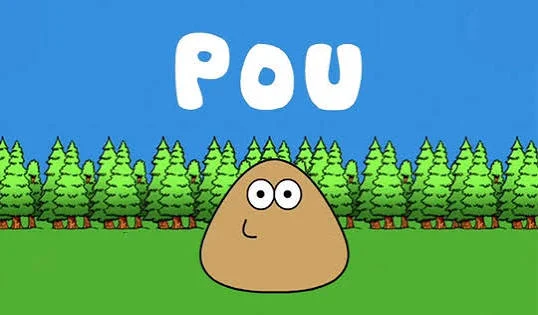
Pou
- Developer
- Zakeh
- Last Updated
- November 2026
- Platforms
- Android, iOS
- Orientation
- Portrait
- Players
- Single player
- Installs
- 1,000,000,000+ on Google Play
- Price
- Free
- Play Opens
- Google Play
About Pou
Feed, wash and play with Pou, your own virtual pet, then dress it up and decorate its home with coins from mini games.
Pou is a virtual pet that lives on your phone. It gets hungry, dirty, tired and bored, and it is your job to look after it. Feed it in the kitchen, wash it in the bathroom, turn off the light when it sleeps and keep it happy by playing games together. As you care for it, Pou grows and levels up.
Coins come from a collection of mini games, such as jumping, racing and memory games. You spend them on food, potions, outfits, hats and wallpapers, so every player’s Pou ends up looking different. You can also visit friends’ pets and play some games together.
Who Made Pou
Pou was created by Paul Salameh, a developer from Lebanon, and released in 2012 under the name Zakeh. It became one of the best known virtual pet games of the smartphone era and is still played by a young audience today.
Keeping Pou Happy
- Check all four needs, not just food, since a dirty or tired Pou gets sad too.
- Play mini games often to earn coins for outfits and food.
- Give Pou a potion if it gets sick instead of waiting.
- Let Pou sleep fully to refill its energy.
Features
- Virtual Pet: Feed, clean, rest and play with Pou
- Mini Games: Earn coins in many small games
- Customization: Outfits, hats, eyes and colors
- Rooms: Kitchen, bathroom, game room and more
- Friends: Visit other players' pets
- Levels: Unlock new items as Pou grows
How To Play Pou
- Press Play to open Pou on Google Play and install it.
- Feed Pou in the kitchen when it is hungry.
- Wash it, put it to sleep and play with it to keep its needs full.
- Play mini games to earn coins.
- Spend coins on food, outfits and decorations.
Pou Controls
- Tap interact with Pou and items
- Swipe move between rooms
What's New In The November 2026 Update
Lamp: Classic! ^_^
Pillow: Round! ^_^
Soap: Rounded! ^_^
Wallpapers: Patterns 7! ^_^
Scene: Football! ^_^
Scenes: Spring & Easter! ^_^
Scene > 2 > Jurassic! ^_^
Balls: Pool! ^_^
Halloween Wallpapers & Scene #2! ^_^
Pumpkin #2 Outfit! ^_^
Wizard Outfit, Hat & Beard! ^_^
Robot Outfit! ^_^
Two new Masks! ^_^
Pou Stickers: Zodiac! ^_^
Scene: Chocolate! ^_^
Wallpapers: Patterns 6! ^_^
Scenes > 2 > Ice, Desert & Volcano! ^_^
Hat: Headphones! ^_^
Eyeglasses: Lovely! ^_^
Need help? https://help.pou.me
Our Take On Pou
What We Like
- Simple and friendly for young players
- Lots of ways to customize Pou
What Could Be Better
- Mini games are basic
- Needs daily check ins to keep Pou happy
Who Checked This Game

Mopoga Team
Start with one Article about something you’re genuinely excited to share. Send it to editor,mopoga@gmail.com with the subject line “Gaming Article Submission”, and we’ll take it from there.
- Last checked on November 16, 2026
- Play opens the official Google Play page
- Made and owned by Zakeh
Every Play button on Mopoga opens the official source of the game: the developer's website, its store page or the developer's own browser build. Details on this page come from the developer and the store listing, and we check them when the game is updated.
Frequently Asked Questions About Pou
What Does Pou Need?
Pou needs food, cleaning, sleep and fun. Keeping all four bars full keeps Pou happy and helps it level up.
Who Created Pou?
Pou was created by Lebanese developer Paul Salameh, who published it under the name Zakeh in 2012.
Is Pou Free To Play?
Yes. Pou is free to play.
How Do I Play Pou?
Press Play Pou and the official Google Play page opens. Tap Install there, then open the game from your home screen. It plays in portrait, so hold your phone upright.
Do I Need To Download Pou?
Yes. Pou is a mobile game, so you install it from Google Play. The download is free.
Can I Play Pou On My Phone?
Yes. Pou works on Android, iOS. On a phone it plays in portrait.
What Are The Controls In Pou?
Use Tap to interact with Pou and items, Swipe to move between rooms.
What Kind Of Game Is Pou?
Pou is a Casual game. It is tagged Casual, Kids, Mobile and Virtual Pet. Mode: Single player.
Who Made Pou?
Pou is made by Zakeh.
When Did Pou Come Out?
The latest update to Pou arrived in November 2026.
You May Also Like



All games, names and images are the property and trademarks of their developers. Mopoga links to the official source of each game and does not host modified copies.
