
 Dead Cells
Happy Wheels
- Developer
- Fancy Force
- Released
- June 2010
- Platforms
- Browser
- Orientation
- Landscape
- Players
- Single player
- Price
- Free
- Play Opens
- Official website (totaljerkface.com)
About Happy Wheels
The ragdoll physics classic: guide unlucky riders through deadly obstacle courses and play millions of player-made levels.
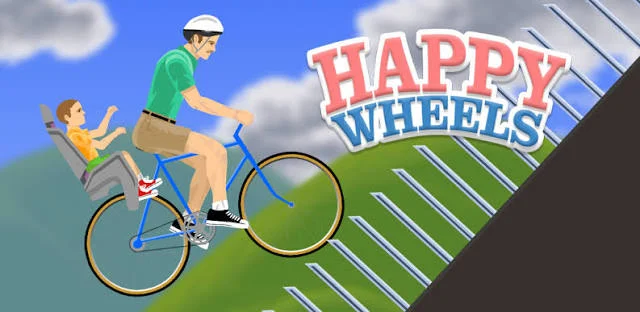
Happy Wheels is a physics game where getting to the finish line is only half the story. You pick a rider, such as Wheelchair Guy, Segway Guy or Irresponsible Dad with his child on the back, and try to steer through courses full of spikes, mines, harpoons and swinging blades. The ragdoll physics mean every crash is different, and often very messy.
The heart of the game is its level editor. Players have built a huge library of courses, from serious obstacle runs to puzzles and short stories, and you can browse, rate and play them right from the menu. The game is aimed at older players because of its cartoon violence.
The Story Of Total Jerkface
Happy Wheels was created by Jim Bonacci, and first released in 2010 on his website Total Jerkface. His studio Fancy Force continued to develop it, and the game is still free to play on the official website.
Getting Through Tough Courses
- Go slowly through traps instead of racing, since speed makes crashes worse.
- Use each character’s special ability, like ejecting, at the right moment.
- Try the featured levels first, which are picked for quality.
- Restart from checkpoints rather than from the start when a level offers them.
Features
- Ragdoll Physics: Every crash plays out differently
- Unique Riders: Characters with their own vehicles and abilities
- Level Editor: Build and share your own courses
- Player Levels: A huge library made by the community
- Featured Levels: Hand picked courses
- Browser Play: Runs on the official website
How To Play Happy Wheels
- Press Play to open Happy Wheels on the official Total Jerkface website.
- Pick a level from the featured list or browse player levels.
- Choose a character if the level allows it.
- Drive with the up and down arrows and lean with the left and right arrows.
- Reach the finish token to complete the level.
Happy Wheels Controls
- Up or down arrows accelerate and brake
- Left or right arrows lean
- Space primary action
- Shift or Ctrl secondary actions
- Z eject
Our Take On Happy Wheels
What We Like
- Endless levels from the community
- Every attempt is unpredictable
What Could Be Better
- Cartoon gore makes it unsuitable for kids
- Level quality varies a lot
Who Checked This Game

Mopoga Team
Start with one Article about something you’re genuinely excited to share. Send it to editor,mopoga@gmail.com with the subject line “Gaming Article Submission”, and we’ll take it from there.
- Last checked on November 16, 2026
- Play opens the official game website
- Made and owned by Fancy Force
Every Play button on Mopoga opens the official source of the game: the developer's website, its store page or the developer's own browser build. Details on this page come from the developer and the store listing, and we check them when the game is updated.
Frequently Asked Questions About Happy Wheels
Who Made Happy Wheels?
Happy Wheels was created by Jim Bonacci and released on his website Total Jerkface in 2010. His studio Fancy Force develops it.
Is Happy Wheels Suitable For Kids?
Happy Wheels contains cartoon blood and violence, so it is better suited to teens and adults.
Is Happy Wheels Free To Play?
Yes. Happy Wheels is free to play.
How Do I Play Happy Wheels?
Press Play Happy Wheels and Mopoga opens the game on its official website, where you start playing straight away. It plays in landscape, so turn your phone sideways. The keys and buttons are listed under Controls on this page.
Do I Need To Download Happy Wheels?
No. Happy Wheels runs in your web browser on a computer, phone or tablet, so there is nothing to download or install.
Can I Play Happy Wheels On My Phone?
Happy Wheels is made for Browser, so a computer gives the best experience. On a phone it plays in landscape.
What Are The Controls In Happy Wheels?
Use Up or down arrows to accelerate and brake, Left or right arrows to lean, Space to primary action, Shift or Ctrl to secondary actions. The full list is under Controls on this page.
What Kind Of Game Is Happy Wheels?
Happy Wheels is an Action game. It is tagged 2D, Level Editor, Physics and Ragdoll. Mode: Single player.
When Did Happy Wheels Come Out?
Happy Wheels came out in June 2010.
Can I Play Happy Wheels With Friends?
Happy Wheels is a single player game, so you play on your own and try to beat your best result.
You May Also Like





All games, names and images are the property and trademarks of their developers. Mopoga links to the official source of each game and does not host modified copies.